For Personal Use
For Individuals
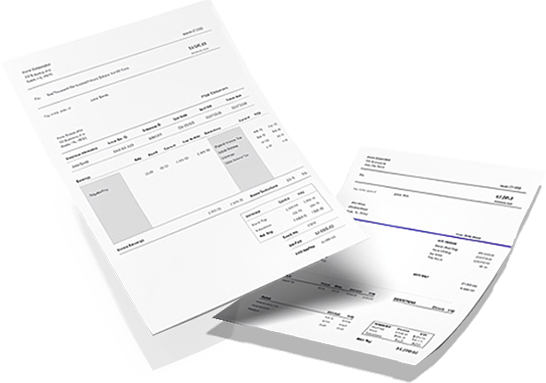
Create professional paystubs with clear earnings, deductions, and year-to-date totals.
From $4.99 / stub
Create Personal Paystub
Create professional paystubs online with accurate tax and deduction calculations, instant preview, and fast PDF download.
Create professional paystubs with clear earnings, deductions, and year-to-date totals.
From $4.99 / stub
Create Personal PaystubGenerate structured pay records for employees and contractors with professional formatting.

From $4.99 / stub
Create Employee PaystubCreates professional paystubs in minutes with a simple 3-step process.
A paystub is a structured pay record showing earnings, taxes, deductions, and net pay for a specific pay period, along with year-to-date totals.
It provides a clear breakdown of compensation and helps maintain consistent pay records for individuals and businesses.
MyStubs.shop makes it easy to create professional paystubs online with current-year tax and deduction calculations, clean formatting, and instant PDF delivery. Review your paystub before download and choose from layouts designed to present earnings, deductions, and totals clearly.

Create professional paystubs online for just $4.99.
Generate PaystubMyStubs.shop combines fast setup, clean formatting, and accurate tax and deduction calculations in one simple workflow. Choose a template, review the preview, and download a professional paystub in minutes.
Our paystub generator, unlike any other online paystub maker, is problem free. In less than two minutes, you can complete your pay stub by simply entering your company name and salary details. Our efficient pay stub calculator software makes it quick and easy for you to get professional results.
Real feedback from customers using MyStubs to create professional paystubs online.
Used MyStubs.shop for a lawful pay record and the result looked clean and professional. Support helped through chat and the workflow was easy to finish.
The generator is simple to use and the final paystub layout came out well
As a freelancer, this saved time when I needed an organized earnings document for my own records
Use MyStubs.shop para generar un paystub de forma legitima y quedo muy profesional. Muy recomendado.
I needed a cleaner way to document pay details for my own records, and the chat support was great.
Overall a good experience. The paystub looked professional, but I had to adjust one small detail before finalizing. Dariel responded quickly when I reached out.
Necesitaba un documento de ingresos y MyStubs.shop fue muy facil de usar. Gracias.
As a gig worker, this made it easier to create an organized record of my pay details in minutes. Dariel walked me through the setup.
Lo use para crear un paystub con formato profesional para mis registros. El proceso fue rapido y Dariel me ayudo con los datos. Recomendado 100%.
A friend recommended MyStubs.shop because of result. I used it as a contractor to organize pay documentation and the process worked smoothly.
I needed a neatly formatted paystub document and MyStubs.shop made it quick. easy form step by step.
Soy contratista y no siempre tengo paystubs tradicionales. Use MyStubs.shop para crear un documento organizado y Dariel fue muy atento en el chat.
Super easy to use. The paystub layout looked professional and the preview made it easy to review everything before downloading. Thanks to Dariel for the quick support.
I finally found a practical way to organize income documentation as a self-employed worker. Dariel made the process smooth and easy to finish.
Use MyStubs.shop para crear un paystub profesional para mis registros. Dariel me ayudo personalmente por chat y el proceso fue muy claro.
Review how preview, tax and deduction calculations, downloads, saved profiles, and account storage work before creating your next paystub.
Have the employer details, employee details, pay period dates, worked hours or salary amount, tax setup, and any extra deductions ready before you start. The builder keeps conditional tax fields hidden until they are needed.
Yes. The paystub creator supports common pay scenarios including hourly pay, salary pay, overtime handling, additions, deductions, and year-to-date values that carry across multiple stubs.
Yes. The builder uses a protected preview flow so you can review the paystub layout, taxes, deductions, and pay totals before checkout.
After payment, the order stays in the account area with the combined PDF, receipt details, and the ability to open the order details page later to view or download the files again.
Yes. Saved company records, employee payment profiles, and the customer dashboard help reduce repeat setup work when you need the next paystub.
The paystub generator is free to use through the preview stage. You can enter all paystub details, review the live preview with calculated taxes and deductions, and confirm everything looks correct before checkout. Payment is only required to download the final PDF.
Most users complete a paystub in under two minutes. The guided builder walks through company details, employee information, pay data, and tax settings in a clear sequence with a live preview updating as you go.
Yes. Self-employed individuals, freelancers, and independent contractors use the paystub generator to create income records for loan applications, rental agreements, tax preparation, and other situations where proof of earnings is needed.
The generator supports all 50 US states and Washington D.C. with 2026 tax tables. States with no income tax, flat-rate states, and states with progressive brackets are all handled automatically based on the state selected in the tax setup.
Yes. The site uses HTTPS encryption for all data in transit, does not store Social Security numbers, and keeps paystub data tied to authenticated accounts. Payment processing is handled through Stripe with no card details stored on our servers.
Real insights on payroll, paystubs, income verification, and proof of income — written for individuals, small businesses, and HR teams.
View all articlesGuides, calculators, and explainers that help you read, verify, and create accurate paystubs — for every situation.
Browse all resourcesCalculate employee deductions and employer payroll taxes for every U.S. state — instantly, with current-year tax tables.
Open the calculatorGross pay, deductions, net pay, and YTD totals explained.
Read guide Paystubs as Proof of IncomeHow paystubs work for rentals, loans, and applications.
Read guide Real vs Fake PaystubsRed flags, consistency checks, and document quality.
Read guide Paper vs Digital PaystubsStorage, accessibility, and security compared.
Read guide Generators for Small BusinessesPaystub organization and repeatable recordkeeping.
Read guide Paystub vs W-2Recurring pay records vs annual tax summaries.
Read guideStart with a professional template, review the preview, and download your PDF instantly.
This overview connects directly to the resource guides below, so you can read the essentials here and open a deeper guide when you need more detail.
A paystub is a document that shows your earnings for a specific pay period, along with the deductions taken out of your pay and the amount you actually take home. It is also commonly referred to as a paystub, paycheck stub, payslip, or earnings statement.
In simple terms, a paystub is a breakdown of your paycheck. It helps you see how your gross pay turns into your net pay after taxes, insurance, retirement contributions, and other deductions are applied.
Paystubs are important for both employees and employers. Employees use them to understand where their money is going, verify their pay, and keep income records on hand when needed. Employers use them to maintain accurate pay records, document compensation properly, and give workers a clear breakdown of earnings and deductions.
In today's digital world, paystubs may be issued in paper form or delivered electronically through employee pay portals and online systems. Either way, they remain one of the most useful pay records for tracking income, reviewing deductions, and keeping organized financial records.
Reading a paystub is easier once you know what to look for. Start with the basic information at the top, such as your name, your employer's information, and the dates for the pay period. Then look at your gross pay, which is the total amount you earned before anything is deducted.
Next, review the deductions listed on the paystub. These may include federal taxes, state taxes, Social Security, Medicare, health insurance premiums, and retirement contributions. After all deductions are taken out, the final number you see is your net pay, which is the amount you actually receive.
Many paystubs also show year-to-date totals. These totals are useful because they help you track how much you have earned and how much has been withheld so far during the year. That can be especially helpful during tax season, when applying for a loan, or when reviewing your pay records for errors.
A professional paystub usually includes the employee's name, the employer's information, the pay period start and end date, the pay date, gross earnings, deductions, taxes withheld, and net pay.
If the worker is paid hourly, the paystub may also show hours worked, overtime hours, and hourly rate. If the worker is salaried, the paystub usually reflects a consistent pay amount divided by the number of pay periods.
Depending on the recordkeeping system, a paystub may also include benefit deductions, employer contributions, retirement deductions, and year-to-date totals. All of this information works together to give a clear snapshot of how pay was calculated for that specific period.
One of the most important things to understand on a paystub is the difference between gross pay and net pay.
Gross pay is the full amount earned before taxes and deductions are taken out. Net pay is what remains after those deductions have been applied. This is the amount that usually lands in your bank account if you are paid by direct deposit.
Understanding the difference between gross and net pay matters for more than just curiosity. It can help with budgeting, loan applications, tax planning, and making sure your paycheck was calculated correctly. Many people only look at the final deposit amount, but the paystub shows the full story behind it.
A paycheck stub can include several deductions, but there are a few major ones you will usually see on most paystubs.
This is the amount withheld for federal income tax. The amount depends on your earnings and tax situation.
If your state has an income tax, a portion of your paycheck may be withheld for state taxes. In some states, there may be no state income tax at all.
This is a mandatory deduction that helps fund Social Security benefits. It is one of the most common deductions shown on a paystub.
This deduction helps fund Medicare and is another standard tax withheld from employee wages.
If you receive health insurance through your employer, your share of the premium may appear as a deduction.
If you contribute to a 401(k) or another retirement plan, those contributions may also be listed on your paystub.
You may also come across abbreviations such as FICA, FED TAX, STATE TAX, MEDICARE, and YTD. These abbreviations can be confusing at first, but once you understand them, it becomes much easier to review your pay and see whether everything looks accurate.
Paystubs can vary depending on how a person is paid and how a company delivers pay records.
Paper paystubs are physical copies provided with a paycheck or issued separately for records. Digital paystubs are electronic versions that may be available through an employee pay portal, email, or secure online account.
For hourly employees, paystubs usually show hourly rate, total hours worked, overtime hours, and deductions. Since the number of hours worked can change, the amount on the paystub may vary from one pay period to the next.
Salaried employees generally receive the same base amount each pay period unless there are bonuses, commissions, unpaid leave adjustments, or benefit changes. Their paystubs still show deductions and withholdings, but the earnings portion tends to be more consistent.
Independent contractors do not always receive traditional employee paystubs because they usually handle their own taxes. However, contractor income records or generated pay records can still be useful for documentation, income tracking, and proof of income in some situations.
Paystubs are useful for employees, employers, freelancers, contractors, landlords, lenders, and government agencies.
Employees use paystubs to track earnings, understand deductions, verify their take-home pay, and keep records for tax filing or income verification. Employers use them to maintain pay records, document employee compensation, and resolve pay questions more easily.
Freelancers, contractors, and entrepreneurs may also need organized income records to keep track of earnings and prepare for tax season. Outside the workplace, landlords and lenders often request paystubs as proof of income, while government agencies may use them to verify financial information for benefits, claims, or other applications.
Paystubs also help with tax filing, pay disputes, financial planning, legal matters, business records, social benefit applications, and compensation claims.
Yes, paystubs are one of the most commonly used documents for proof of income. They help show how much you earn, how often you are paid, and whether your income is stable over time.
If you are a traditional employee, your employer may provide it with your paycheck or make it available through an employee pay portal. Many companies now issue paystubs digitally, allowing workers to log in and download them whenever needed.
If you are paid by direct deposit, you may still receive a separate paystub or digital earnings statement that shows the details behind your deposit. If you changed jobs recently, you may need to contact a previous employer to obtain older pay records.
For freelancers, entrepreneurs, contractors, and small business owners, a paystub generator can be a practical option for organizing income details into a professional format.
A paystub generator is an online tool that helps create professional pay records in a matter of minutes. Instead of dealing with manual paperwork, you enter the earnings, deductions, hours worked, and other pay information, and the system generates the paystub for you.
This can be especially helpful for small businesses, contractors, freelancers, and entrepreneurs who need organized income documentation or a more streamlined recordkeeping process. A good paystub generator can also help reduce manual calculation mistakes, improve recordkeeping, and save time for both employers and workers.
A real check stub reflects actual earnings and deductions based on legitimate pay information. A fake paystub, on the other hand, contains false, misleading, or manipulated details.
One of the biggest mistakes people make is entering the wrong information. Even a small error in hours worked, pay rate, tax withholding, or deductions can throw off the entire paystub. Another common mistake is forgetting to include deductions or using an unverified low-quality generator that leads to formatting errors or inaccurate calculations.
Digital paystubs offer several advantages over paper records. They are easier to access, easier to organize, and easier to store. Instead of digging through old folders or paper files, you can usually log in and retrieve a paystub from your phone, tablet, or computer.
For businesses, digital paystubs can also reduce printing, mailing, and storage costs. For employees, they make it simpler to find the documents needed for taxes, loans, rentals, and other financial situations.
Using a paystub generator can help standardize pay records, improve accuracy, reduce paperwork, and make it easier to keep copies of employee pay records. It can also help businesses provide more transparency to employees by clearly showing earnings, deductions, and net pay for every pay period.
Keeping paystubs for the right amount of time can be useful for taxes, pay disputes, rental applications, loan approvals, or long-term financial records. It is smart to keep recent paystubs easy to access and to store copies securely.
Paystub records often contain sensitive personal and pay information. Whether a company uses paper records or digital recordkeeping systems, employee information should be protected from loss, theft, accidental destruction, or unauthorized access.
A paystub and a W-2 are not the same thing.
A paystub shows detailed earnings and deductions for each pay period throughout the year. A W-2 is an annual tax form that summarizes total wages and withholdings for the year. In other words, a paystub helps you track pay throughout the year, while a W-2 is mainly used when it is time to file taxes.